



An automatic newsletter with Brevo
The site publishes a post, and the next morning subscribers get an email about it. Nobody writes or sends anything. How to set up an automatic newsletter on Brevo's free plan, and why it suits marketing agencies and independent designers and developers.
Phúc Bùi · October 11, 2026
A newsletter is the simplest way to bring readers back to a website. They leave their email once, and every new piece of content finds them. The catch is that someone has to write and send each email, and that job usually gets dropped after a few weeks.
Brevo, an email marketing platform with a free plan, can do that job for you. When the site publishes a post, subscribers get an email about it the next morning. Nobody writes the email or presses send.
The first half is for agencies and content managers: how it works, what it costs and what your team does once it is set up. The technical details are at the end.
How it works
- Readers sign up with a form at the bottom of the page. They enter their email, tick the privacy policy box and submit. Brevo sends a confirmation email, and the address joins the list only after they click the link in it. This is called double opt-in, and it keeps typos and addresses signed up by someone else off the list.
- New posts go out the next morning. Every day at a time you choose, Brevo reads the site's list of posts. If anything is new since the last run, it builds an email with each post's image, title, summary and a read-more button, and sends it to the whole list.
- No new post, no email. Subscribers only hear from you when there is actually something new.
- A multilingual site can keep one list per language. People who sign up on the Vietnamese pages get only Vietnamese posts, people on the English pages only English ones.
- The schedule can change. Instead of daily, Brevo can group new posts into one email a week or a month. That suits sites that publish a lot, or clients who don't want to email too often.
This is our real signup form, built the way this post describes. You can subscribe right here.
Who it suits
Marketing agencies running client websites. The content team publishes as usual and the newsletter follows on its own. Nobody has to write an email per post, and the client gets one more channel that brings readers back to the site. The Brevo account and the subscriber list belong to the client.
Independent designers and developers with a blog or portfolio. At a few hundred subscribers, Brevo's free plan is enough, so you get a newsletter without a monthly bill.
What it costs, and the free plan's limits
For most small sites, Brevo's free plan is enough. What to know before you pick it:
- Up to 300 emails a day, across all lists. On a daily schedule each subscriber gets one email, so the free plan covers about 300 subscribers. A weekly schedule has the same ceiling, because the whole list is emailed on the same day.
- Every email carries a "Sent with Brevo" line at the bottom, and the free plan doesn't let you remove it.
- The feature that emails new posts (RSS campaigns) is on the free plan. Several other newsletter services only offer it on paid plans.
Past that, Brevo's paid plans are priced by the number of emails sent per month. Prices and limits change, so check Brevo's pricing page before you choose.
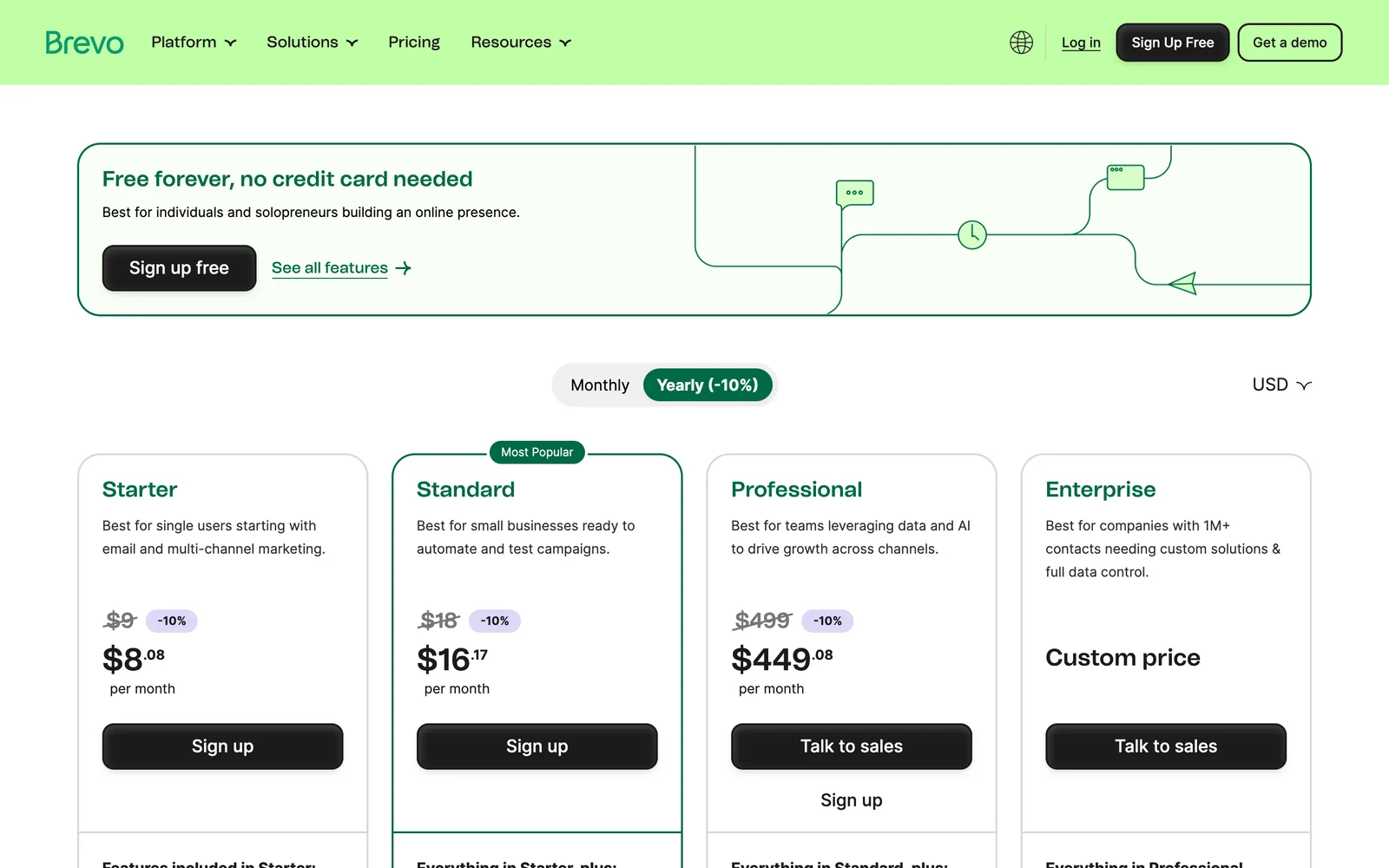
Brevo's pricing page on 11 October 2026, showing yearly prices.
Once it is set up, your team only manages the list
The setup covers the signup form, the post feed Brevo reads, an email template in your brand and the schedule. Once those run, the day-to-day work happens entirely in Brevo:
- See who subscribed, export the list or remove someone.
- See how many people opened each email and clicked through to a post.
- Change the schedule, or pause the newsletter when needed.
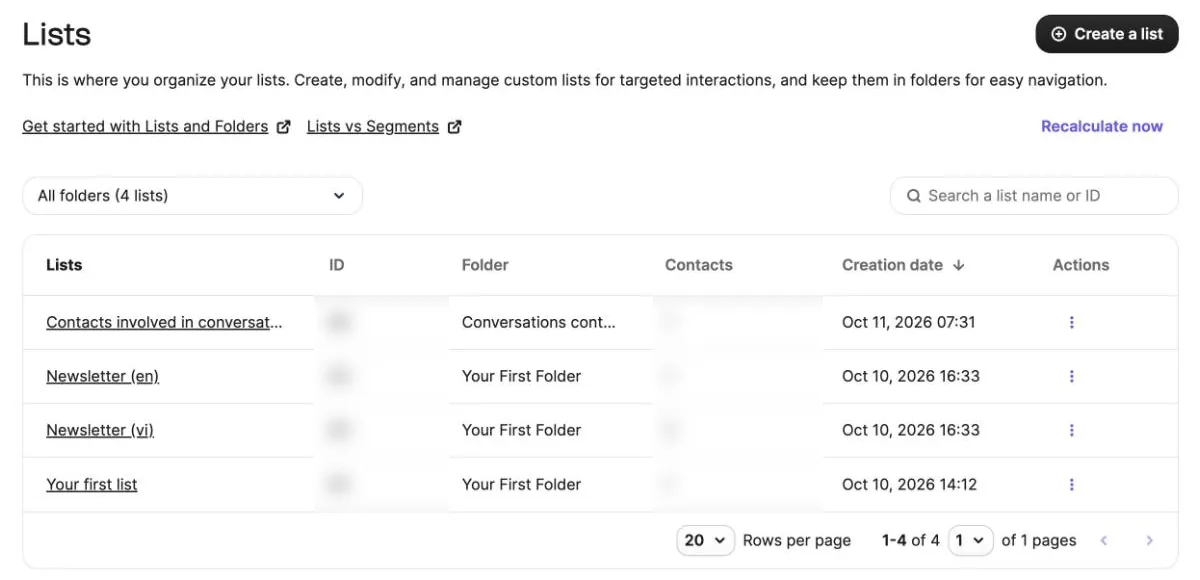
The subscriber lists page in Brevo.
Subscribers leave with the unsubscribe link at the bottom of every email, so nobody handles unsubscribe requests by hand.
The setup is actually fairly simple. If your site or a client's needs a newsletter like this, we can set it up and hand the account over so your team manages the list. Get in touch to talk it through.
Technical details
This part is for developers who want to set it up themselves. The approach works for any site with an RSS feed, whether it runs WordPress, Next.js or something else.
The RSS feed is the source
Brevo doesn't read the website itself. It reads an RSS feed, an XML file listing posts newest first. Each item needs a title, a summary, a share image and a publish date. On a multilingual site, give each language its own feed (for example /feed.xml and /en/feed.xml). WordPress ships with an RSS feed, so on a WordPress site this step is close to free.
In Brevo, each feed is wired to a subscriber list and an email template through the RSS campaign feature. It is an integration under Brevo's Integrations menu, not part of the API, so it is set up in the dashboard.
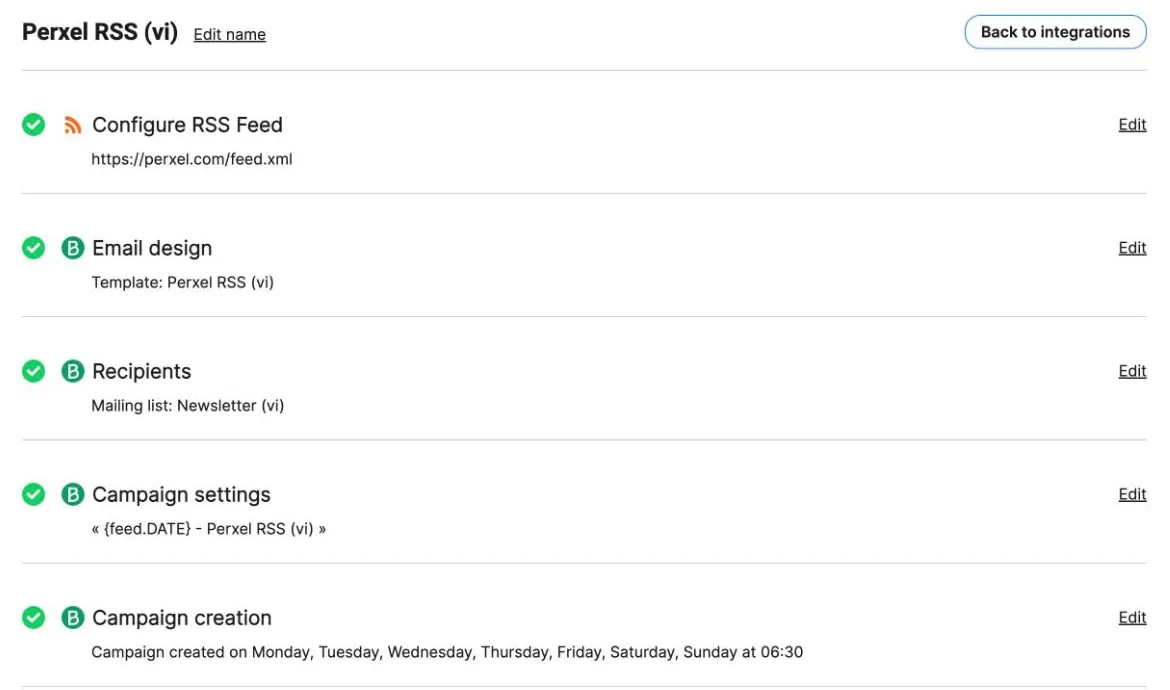
An RSS campaign's settings: feed, template, recipients and schedule.
Build your own signup form instead of embedding Brevo's script
Brevo offers an embeddable form, but it loads Brevo's script on every page. A lighter option is your own form: it posts to the site's server, which calls Brevo's double opt-in API (POST /v3/contacts/doubleOptinConfirmation) with the right list. Pages load nothing from Brevo. If you like, the server can also ping Slack or Discord on every signup.
Keep the Brevo API key in a secret environment variable on the server, never in the code.
Brevo picks posts by publish date
On each run, Brevo takes the items whose publish date (pubDate in the feed) falls between the previous run and this one. With a 6:30 schedule, that is from 6:00 the day before to 6:00 that morning. If your feed takes the publish date from a date set in the post (a date field in the frontmatter, say), then:
- A post pushed to production on the day in its
dategoes out at 6:30 the next morning. - A post with a
dateearlier than the day it actually went live is never sent, because Brevo has already read that window. - Editing an old post doesn't send it again.
So pick a run time earlier than when you usually publish. With Brevo's default 8:30 schedule the window ends at 8:00, so a post pushed after 8:00 on its own date would be skipped.
Common setup mistakes
- An empty list makes the run fail. If a list has no confirmed subscriber yet, Brevo builds no email and sends you a 400 error email instead ("no contacts associated with the given recipients"). That email can't be turned off. The fix is to add your own address to every list: the lists are never empty, and you get a copy of every send.
- The IP allowlist blocks every API call. Brevo can restrict an API key to a set of IP addresses. Serverless platforms such as Cloudflare Workers call out from changing IPs, so with that option on, every call is refused with "unrecognised IP address". On those platforms it has to stay off for API keys.
- Sending from a Gmail address gets rejected. Brevo needs to send from an authenticated domain (SPF, DKIM, DMARC). Authenticate your site's domain and send from an address on it, like
hello@yourdomain.com.
The email template lives in the code
The template can be HTML in the site's repo, pushed to Brevo through the API, rather than edited in Brevo's drag-and-drop editor. Each post is a card with the share image, title, summary and a read-more button, and ends with why the reader got it and an unsubscribe link. To change the design, edit the file and push again, so the live template always matches the code.
Beyond the code, the site's privacy policy needs a newsletter section too: what is stored, who sends the email, open and click tracking, and how to unsubscribe.
Footnotes
Want a quote?
Get in touch with Perxel today.