


Perxel Accordion for TinyMCE
An open-source plugin that adds an accordion button to the WordPress Classic Editor. Preview it in the Visual tab, show it on the frontend with accessible markup, no setup and nothing saved to the database.
September 29, 2026
Perxel Accordion for TinyMCE is an open-source plugin that creates an accordion in the WordPress Classic Editor in a few clicks. The Accordion button is everywhere the Classic Editor is used: the post editor, widgets and even ACF WYSIWYG fields.
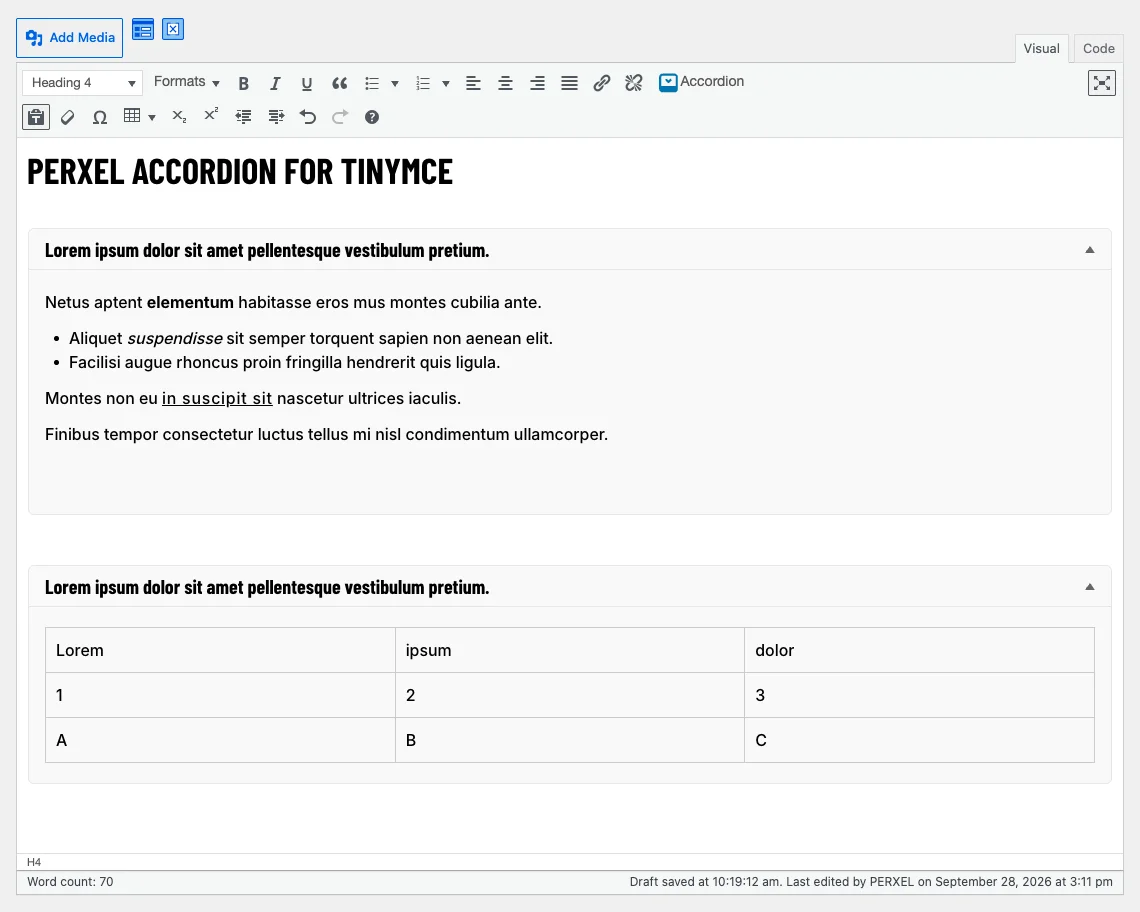
Background
To add a collapsible block such as "Read more" or a set of frequently asked questions in the Classic Editor, writers usually have to type HTML by hand or install a whole page builder. TinyMCE has an accordion plugin, but it only works from TinyMCE 6, while the WordPress Classic Editor still runs TinyMCE 4.
Perxel Accordion for TinyMCE fills that gap with one toolbar button. There's no settings page and nothing saved to the database.
Create an accordion in the editor
Click the Accordion button in the toolbar, fill in the title and content and insert it. The content area is a small Classic Editor, so you can still bold text, add links or make lists as usual.
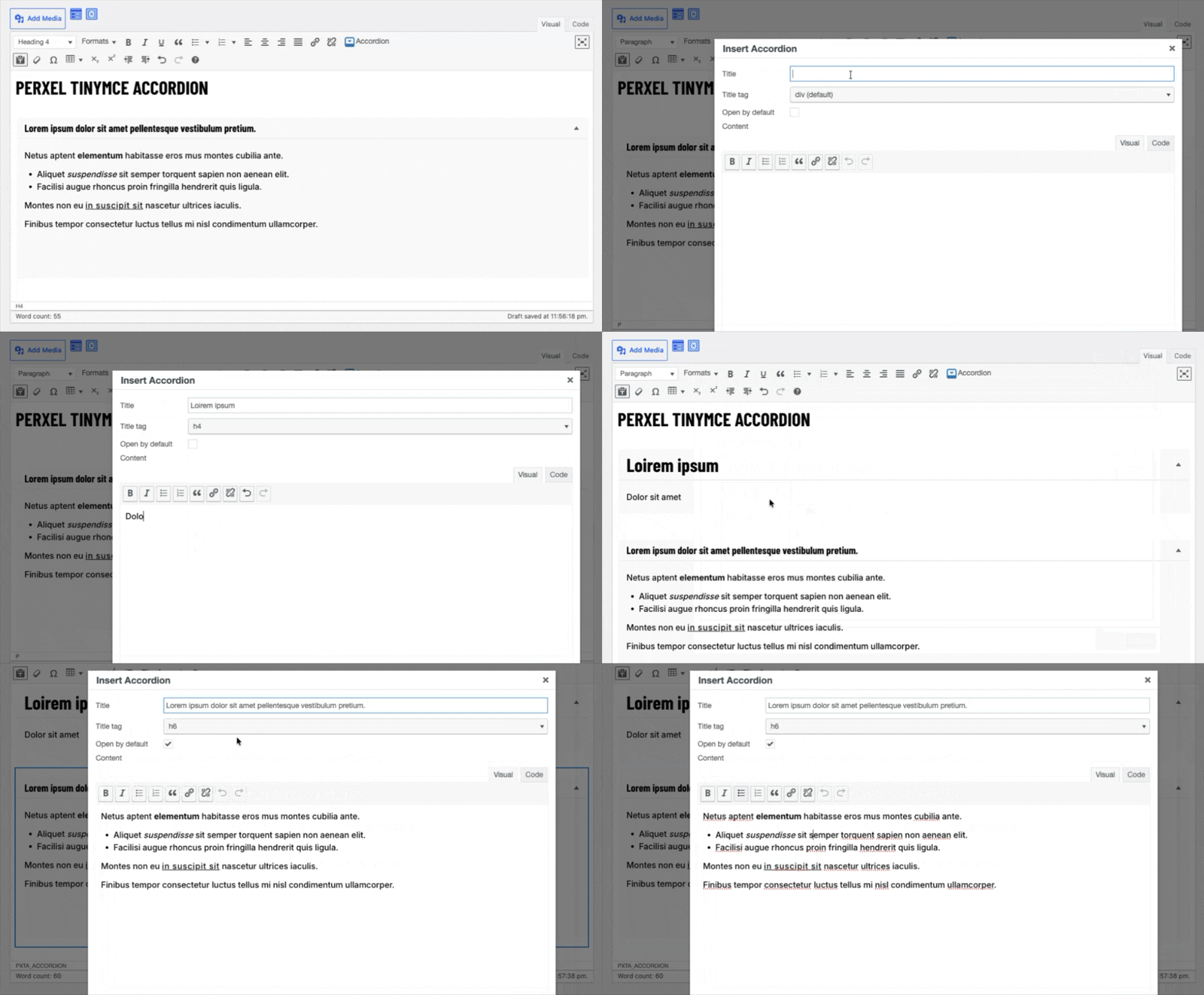
Inserting an accordion from the toolbar.
You can choose the tag for the title (div, p or h1 to h6) if you want the title to be a heading in the post, and tick Open by default if you want the accordion open when the page loads.
The plugin inserts a [pxta_accordion] shortcode into the post. In the Visual tab you see the accordion just as on the frontend and click the pencil icon to edit it. In the Text tab you see the raw shortcode.
On the frontend
The accordion is built to accessibility standards and works well with a keyboard and screen readers. The plugin's CSS and JavaScript are very light and load only on pages that have an accordion.
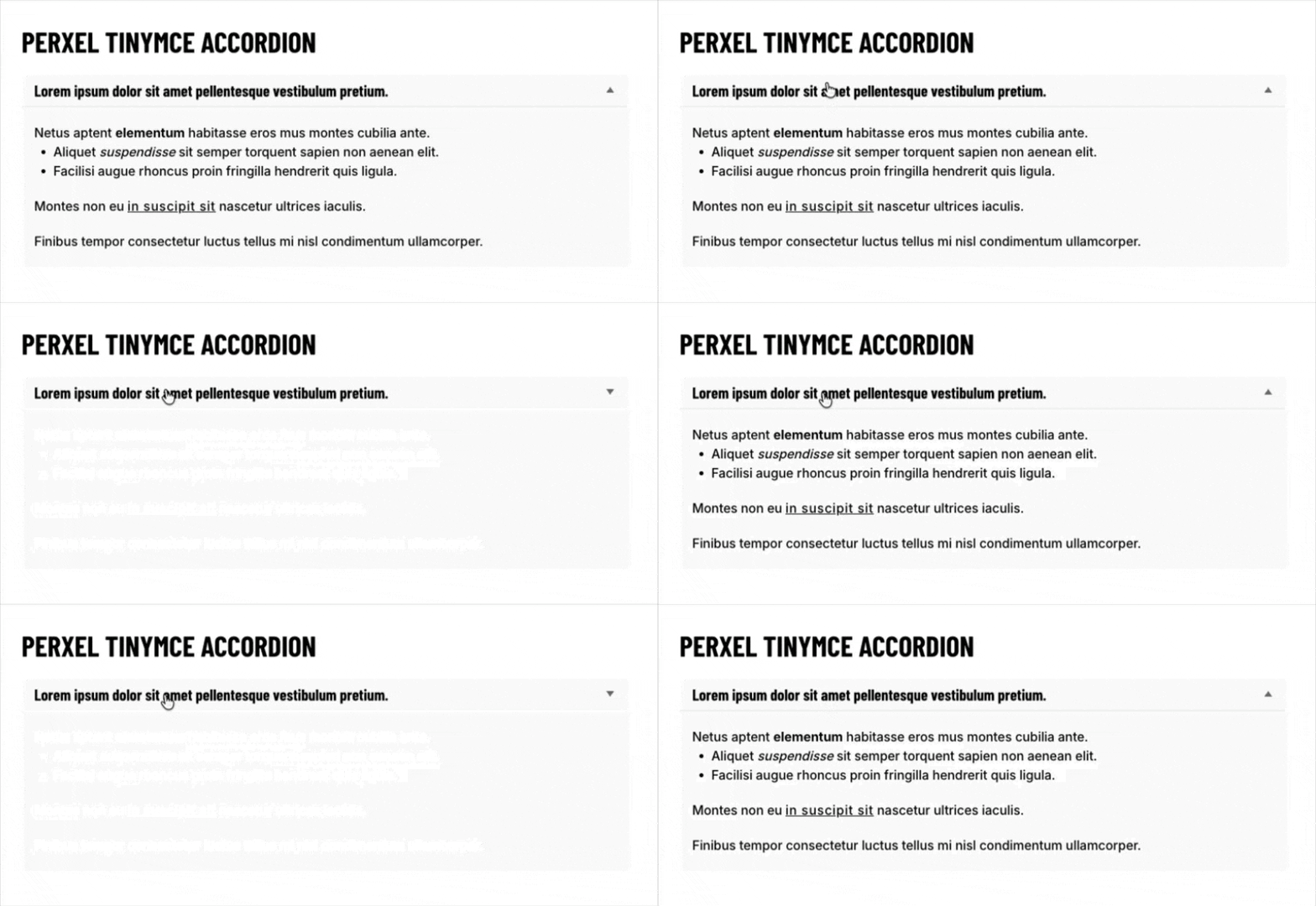
The accordion with the default styling.
If the theme already has jQuery, the content slides smoothly open and closed. Without jQuery, or if the visitor has turned off motion on their device, it opens and closes instantly.
Using the shortcode directly
The shortcode works anywhere WordPress processes shortcodes: templates, the Shortcode block in the Block Editor or pages built with shortcodes.
[pxta_accordion title="What does it cost?" title_tag="h3" open="1"]Nothing, it's free.[/pxta_accordion]
Customising the look
The default style is tidy: a light grey background, rounded corners and an arrow on the right. To change it you have three options:
- Write CSS in the theme for
.pxta-accordionand.pxta-accordion__content. An open accordion also has the classpxta-accordion--open. - Turn off the default CSS entirely with the
pxta_accordion_load_cssfilter. - Replace all of the HTML with the
pxta_accordion_htmlfilter.
Install and requirements
The plugin is on WordPress.org. Go to Plugins, choose Add New, search for "Perxel Accordion for TinyMCE" and activate it. There's nothing else to set up: open a post and the Accordion button is there.
- WordPress 6.5 or later, PHP 7.4 or later.
- The Classic Editor in use, for example through the Classic Editor plugin.
- With ACF, set the WYSIWYG field's Toolbar to Full, because the Basic toolbar doesn't allow extra buttons.
When you remove the plugin, the shortcodes stay in your posts. They just no longer show as accordions.
The source is public on GitHub, free and with no ads. The plugin is built on WP Plugin Toolkit and often goes with custom plugin projects at Perxel.
TinyMCE is a trademark of Tiny Technologies, Inc. This plugin is independent and is not affiliated with or sponsored by Tiny Technologies, Inc.
Footnotes
Want a quote?
Get in touch with Perxel today.