





Perxel AI Translate
An open-source WPML AI translation plugin that bulk-translates WordPress posts into your WPML languages with the AI model you choose through OpenRouter. You pay OpenRouter directly, not WPML credits, and see the cost before you run.
September 27, 2026
Perxel AI Translate is an open-source WPML AI translation plugin. It translates posts, pages and custom post types into the languages installed in WPML. The plugin sends content to the AI model you choose through OpenRouter, then writes the result straight into WordPress as a WPML translation. It came out of the Khatra Tile project, which needed about 1,000 posts and products translated into English.
Background
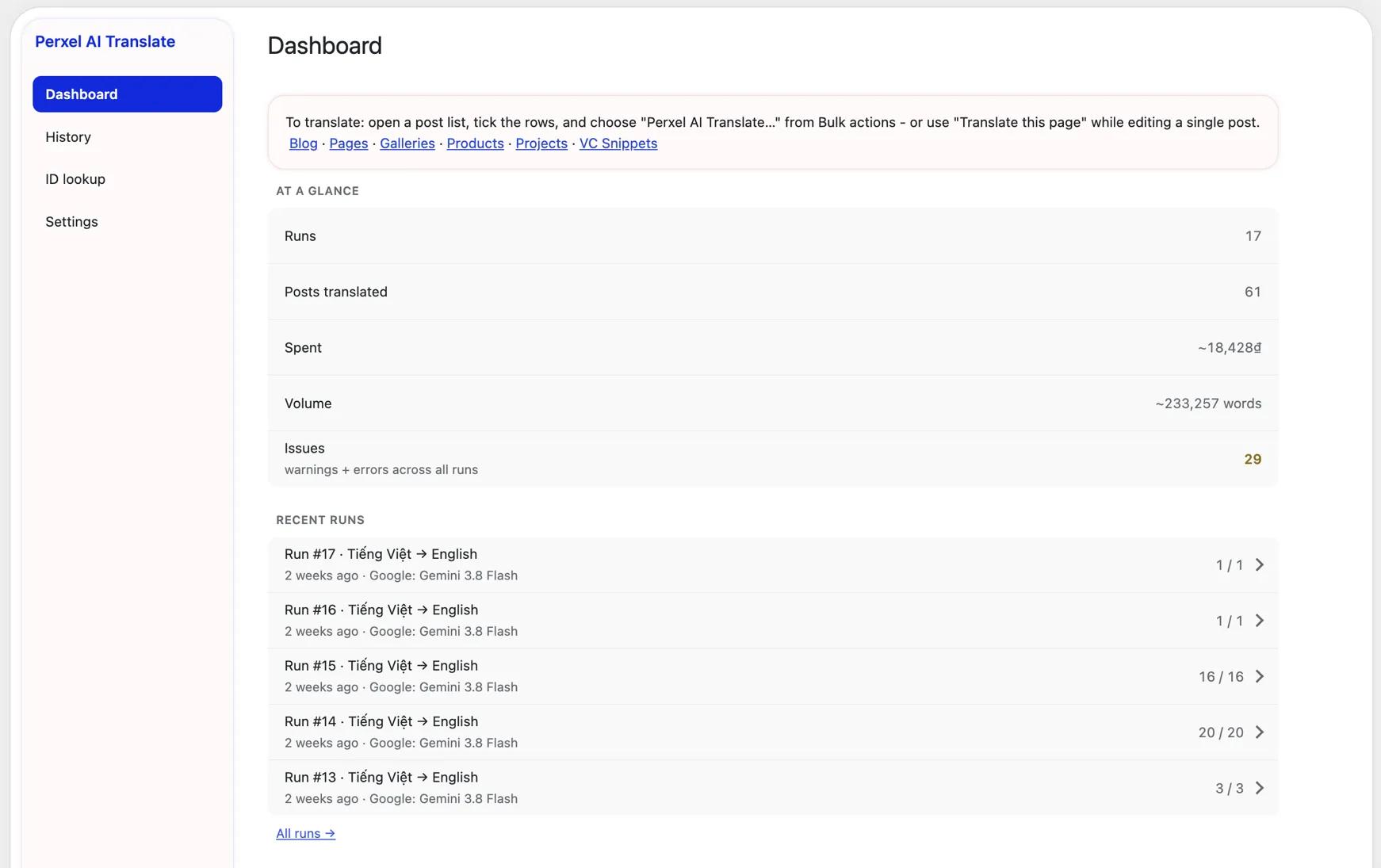
WPML has automatic translation built in, but it charges by credit. The more content a site has, the higher the cost, and you can't choose which model translates. Perxel AI Translate uses your own OpenRouter API key: you pick the model and pay OpenRouter directly, with no credits to buy from anyone else.
Bulk-translate WPML posts with AI
In the post list, select the posts to translate and choose Perxel AI Translate… in Bulk actions. When editing a single post, click Translate this page in the toolbar.
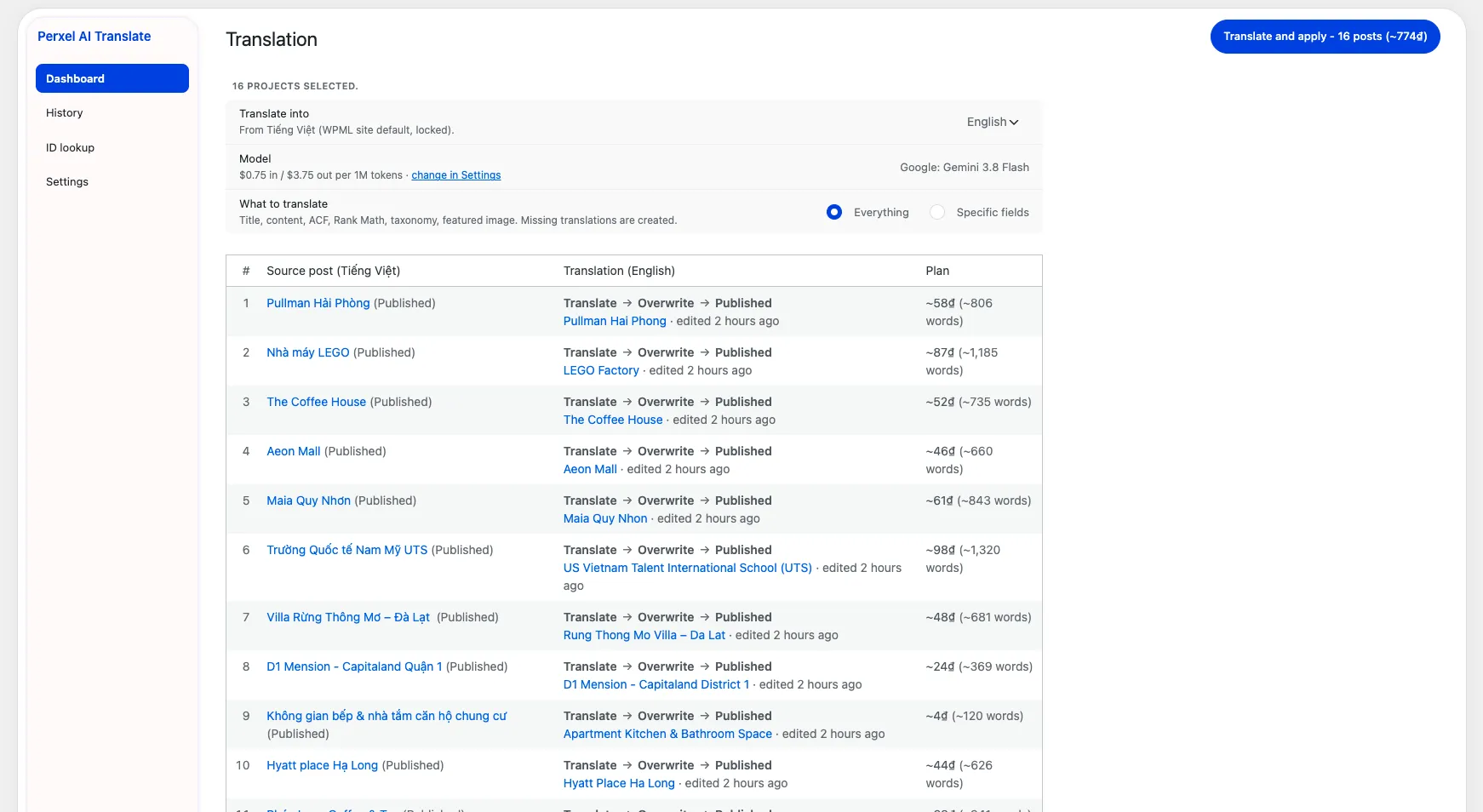
The Translation screen: choose the target languages and the data to translate, and see the word and cost estimate before running.
Click Translate and apply to start. You can close the tab at any time, then reopen the run and click Resume to continue. If a post fails, you retry just that post, and translations already done are reused, so you don't pay for model calls twice. Every run is saved under Tools → AI Translate → History.
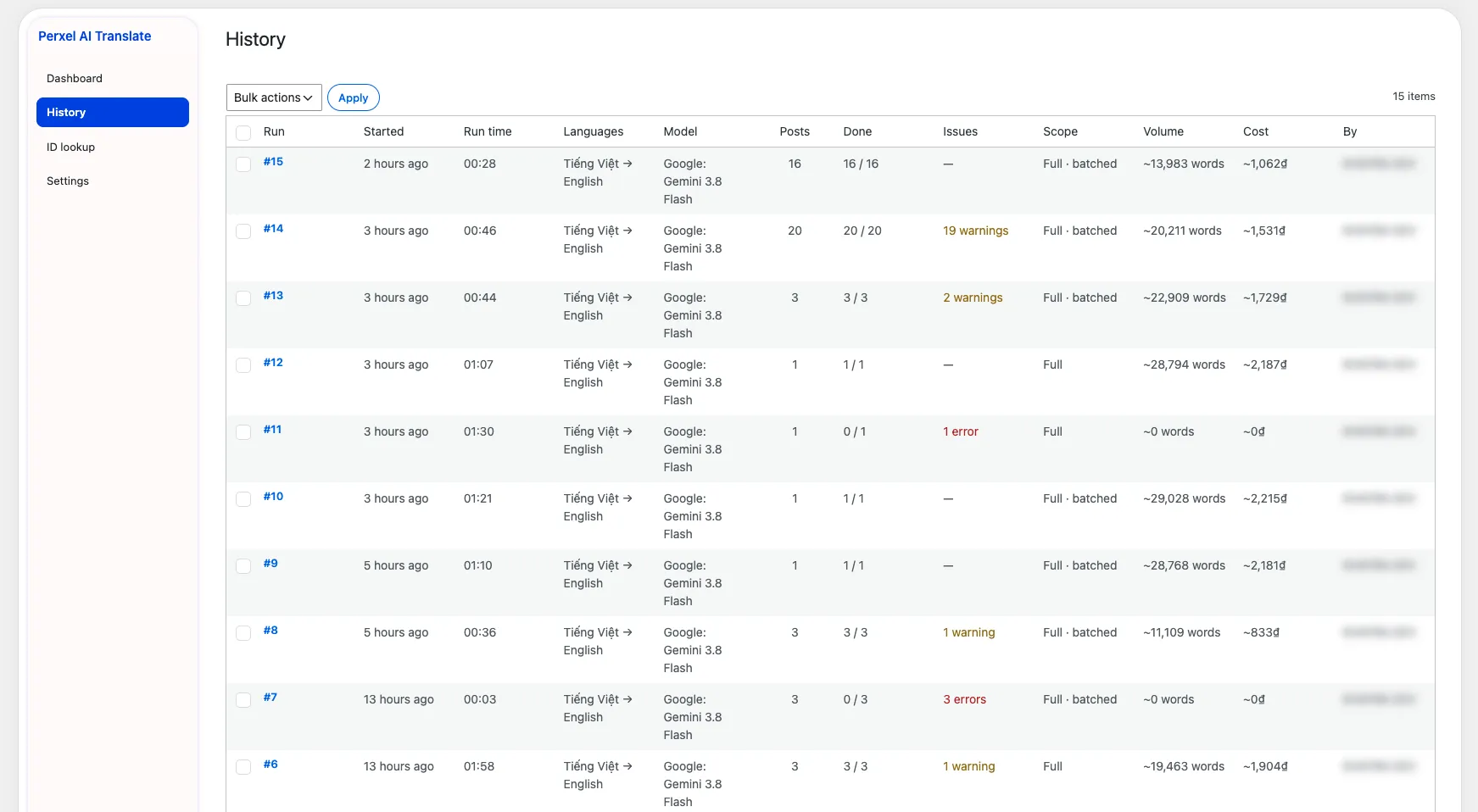
The History screen: each run with its language, model, post count, warnings or errors, word count and cost.
What gets translated
- Main content. Title, slug, excerpt and content. HTML and page builder shortcodes such as WPBakery are kept intact, and only the text is translated.
- Custom fields. Text, textarea and WYSIWYG fields from ACF and SCF, including fields inside Group, Repeater and Flexible Content. Other field types are copied across unchanged.
- SEO. Title, description, focus keyword and social meta from Rank Math.
- Taxonomies and featured images. Terms are linked to the matching WPML translation, and featured images use the WPML Media Translation version if there is one.
Choose the model and control cost through OpenRouter
You can use any model on OpenRouter (Gemini, Claude, GPT and so on). The default is a low-cost Gemini Flash model. Settings checks the API key, shows how much credit the key has left and warns when the estimated cost goes over that credit. If the site's default language is Vietnamese, costs are shown in VND.
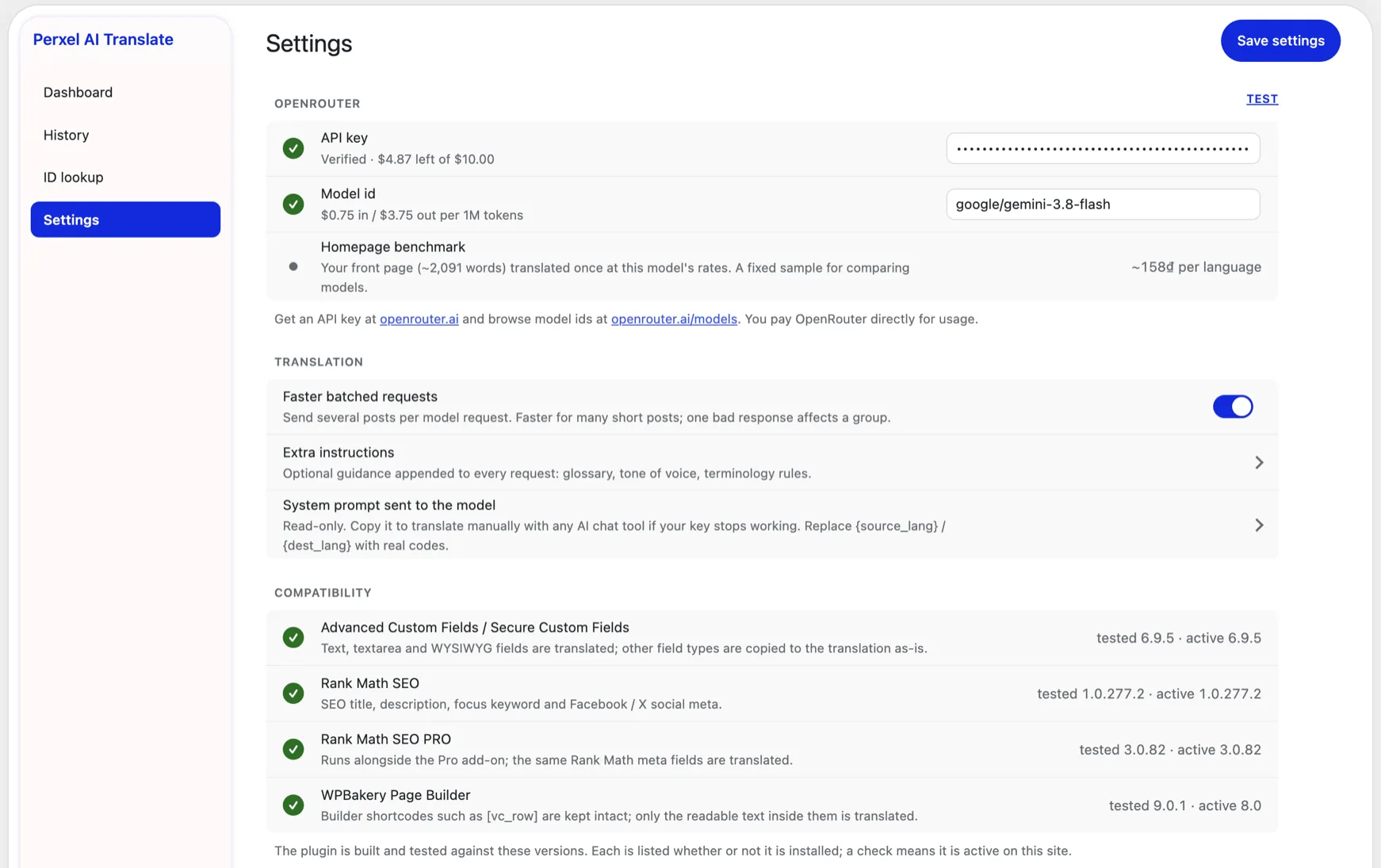
The Settings screen: API key and model, the batching option, extra instructions and the plugins it detected.
Extra instructions keeps industry terms, proper names and brand voice consistent across every run. The Faster batched requests option (on by default) sends several short posts in one model call to translate faster.
Install and requirements
The plugin is on WordPress.org. After activating, go to Tools → AI Translate → Settings and enter your OpenRouter API key.
- WordPress 6.2 or later, PHP 7.4 or later.
- WPML (Multilingual CMS or higher) with at least two languages. Without WPML the plugin doesn't work.
- An OpenRouter account and API key.
Tested with WPML 4.9.7, Secure Custom Fields 6.9.5, Rank Math SEO 1.0.277.2 (PRO 3.0.82) and WPBakery 9.0.1.
The source is public on GitHub. The plugin is built on WP Plugin Toolkit and often goes with custom plugin projects at Perxel.
Footnotes
Want a quote?
Get in touch with Perxel today.