


Perxel Social Kit
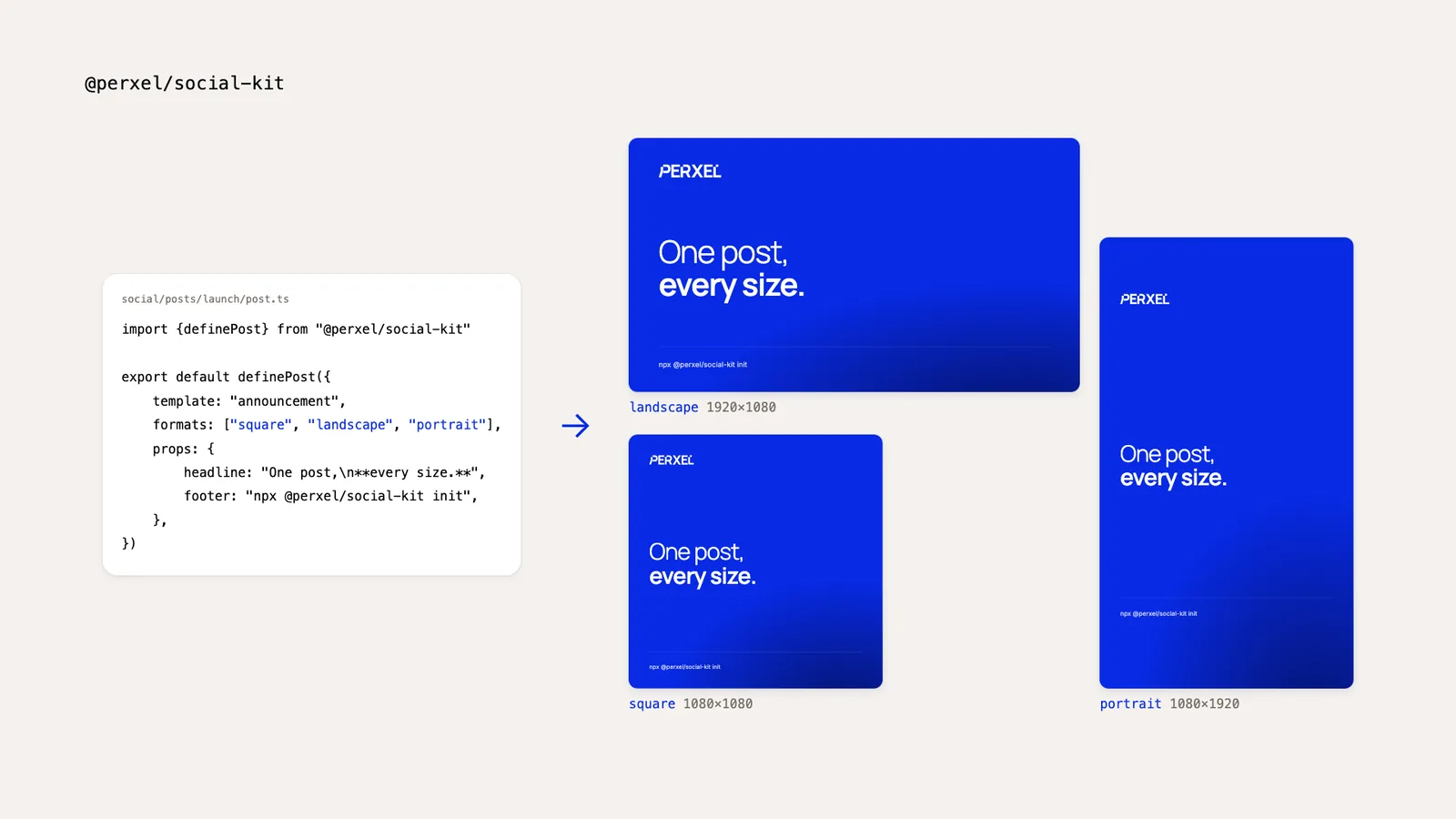
An open-source tool that makes social images and short videos from React templates: write a post once and the kit renders it square, 16:9 and 9:16. It also makes the images and clips for a site's blog posts from a recipe file.
October 12, 2026 · Version 0.2.0
Perxel Social Kit is an open-source toolkit that lets an AI agent make social images and short videos. You describe the post to your agent (Claude Code, Cursor or another), and the agent uses the kit to render it as a 1:1 square, a 16:9 landscape and a 9:16 portrait image (or video), then reviews every size itself before showing you the result. Templates are React components in your own repo, so the images carry your brand, not ours.
The problem
Every post needs the same content in several sizes: square for LinkedIn, landscape for X and the website, portrait for Stories, Reels and TikTok. In a design tool each size is its own file, and every text change has to be made in all of them. Portrait adds one more catch: the app's own buttons cover the top and bottom of the screen.
With Social Kit the content lives in one place and the layout for each size lives in the template. When something needs to change, you tell the agent.
Setup and use
Run npx @perxel/social-kit init in your project's repo. It installs the kit, creates a social/ folder with a first post and installs the skill that teaches your agent how to use the kit. From then on you just ask, for example: "Make a launch post for our new product, in every size."
The skill keeps the agent to a set process: check the setup, use your project's colours, fonts and templates, render every size, then read the contact sheet and fix text that overflows or anything sitting where app buttons cover it, before it shows you anything. It never adds copy you haven't approved; it suggests it instead. To run the kit's commands yourself, see the guide on GitHub.
What the kit does
- Every size in one render. Files are named after the post (
launch-square.png,launch-portrait.mp4), with a contact sheet that shows them side by side. - A layout for each size. Portrait can be arranged differently from landscape instead of just scaled, and keeps clear of the areas app buttons cover.
- Short videos cut on the beat. The kit reads a track's tempo and beats, so the agent can cut on the beat. Videos are built with Remotion.
- A whole campaign in one folder. One template can draw both the image and the video, so one post gives you every image and video of a campaign.
- Images and clips for your site's posts. The agent can screenshot the live site, record short clips of an interaction (scrolling, typing, pressing ⌘K) and compose images from your templates. The steps are saved as a recipe, so when the design changes the agent makes them all again from it.
How we use it
The images and videos Perxel posts on social media, and most of the images in this site's posts, are made with Social Kit through an AI agent. Templates, logos and music live in the website's repo and the kit only does the rendering, so any brand change is made in the website's repo.
Licence
The kit is MIT licensed, on GitHub and npm. Videos and browser templates use Remotion, which is free for individuals and companies of up to 3 people; larger companies need a Remotion licence. Plain images never need Remotion.
Footnotes
Want a quote?
Get in touch with Perxel today.