




TinaCMS & Next.js
A look at TinaCMS, a Git-backed headless CMS with click-to-edit on the Next.js interface, no language limits and low long-term running cost.
September 15, 2026
Most SaaS headless CMSs keep data in their own cloud database and charge on a recurring basis by number of editors, storage or number of languages. TinaCMS takes a different route: an open-source headless CMS built on Git, integrated straight into the code of a Next.js project.
At Perxel, TinaCMS is one of the core solutions researched and used in practice for a visual editing experience and low long-term cost. To be clear, TinaCMS is first of all a visual editor. The CMS features around it (content modelling, administration, rollback) are basic and not as deep as a commercial headless CMS such as Prismic.
Click-to-edit on the live interface
The biggest difference between TinaCMS and most traditional headless CMSs is visual editing. Instead of typing into a form in a separate admin and opening a preview tab, the admin logs into TinaCMS and edits directly on the website itself.
You click a heading, paragraph or image on the page to edit it, and every change shows on screen immediately. It feels close to no-code tools like Webflow or Framer, while keeping the performance tuning and code-level flexibility of Next.js.
Editing directly on the live interface, shown on the Atlas Robotics project.
Git-backed: the data lives in the project code
Unlike headless CMSs that store data in a third-party SQL or NoSQL database, TinaCMS is Git-backed. Each time a user presses Publish, the system makes a Git commit that saves the change as a JSON or Markdown file in the project's GitHub repository.
Because content lives with the code, the site can be statically generated (SSG) and deployed to an edge network such as Cloudflare Workers or Vercel with no database or separate media hosting to maintain. The business also owns the full history of content changes through Git history.
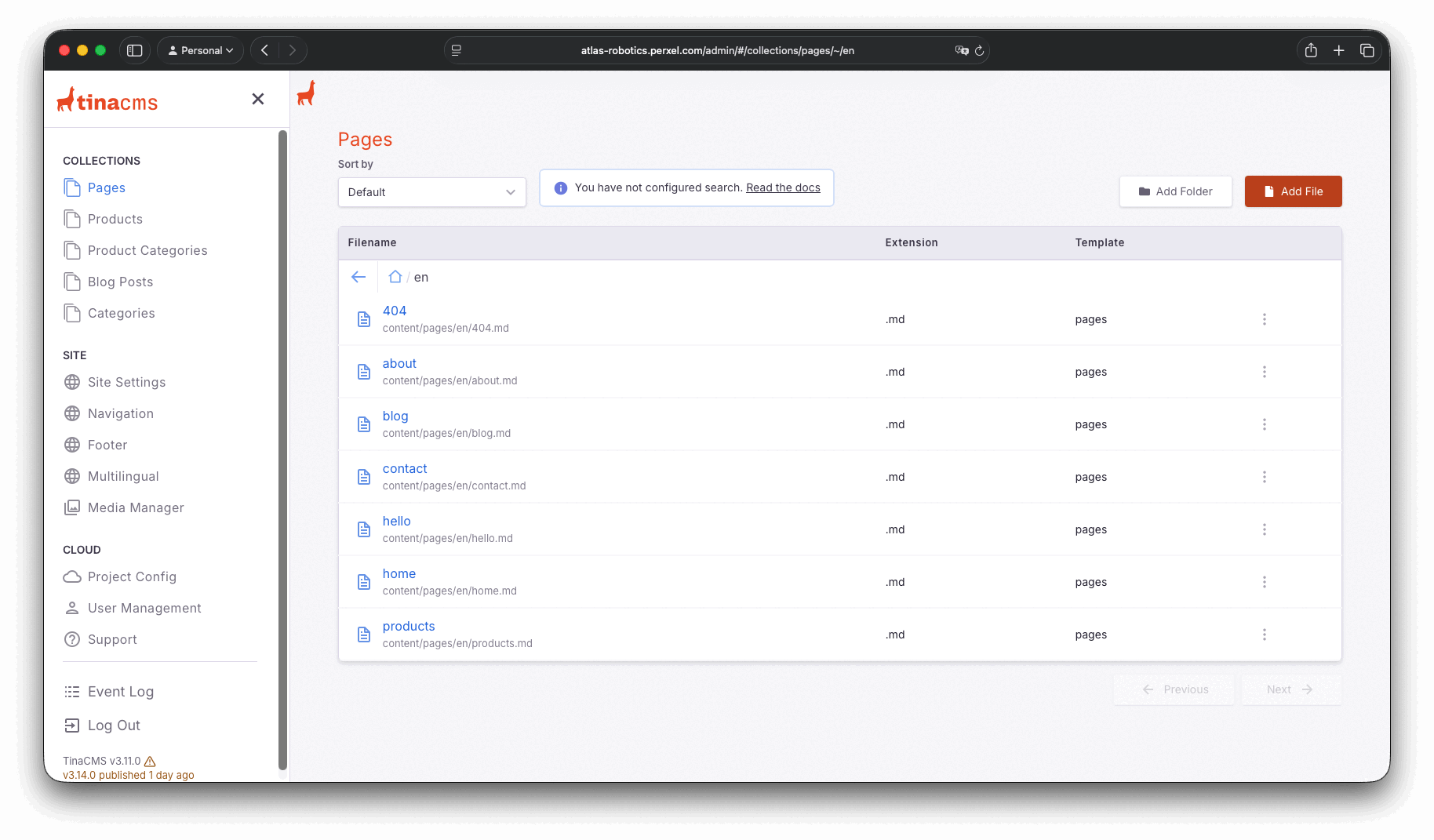
Each page is its own Markdown file, managed directly in the project repository.
Core advantages
- No limit on languages. Because data is stored in the repository, TinaCMS lets you configure 3, 5 or more languages with no per-locale plan upgrade.
- No bandwidth charges. Content is served from the site's own statically built output, not through a separate CMS CDN that bills per download.
- Minimal running cost. TinaCMS's free plan includes 2 editor accounts, enough for most business sites run by 1 or 2 content owners. When the team grows, the paid Team plan (about $24 a month) raises that to 3 editor accounts.
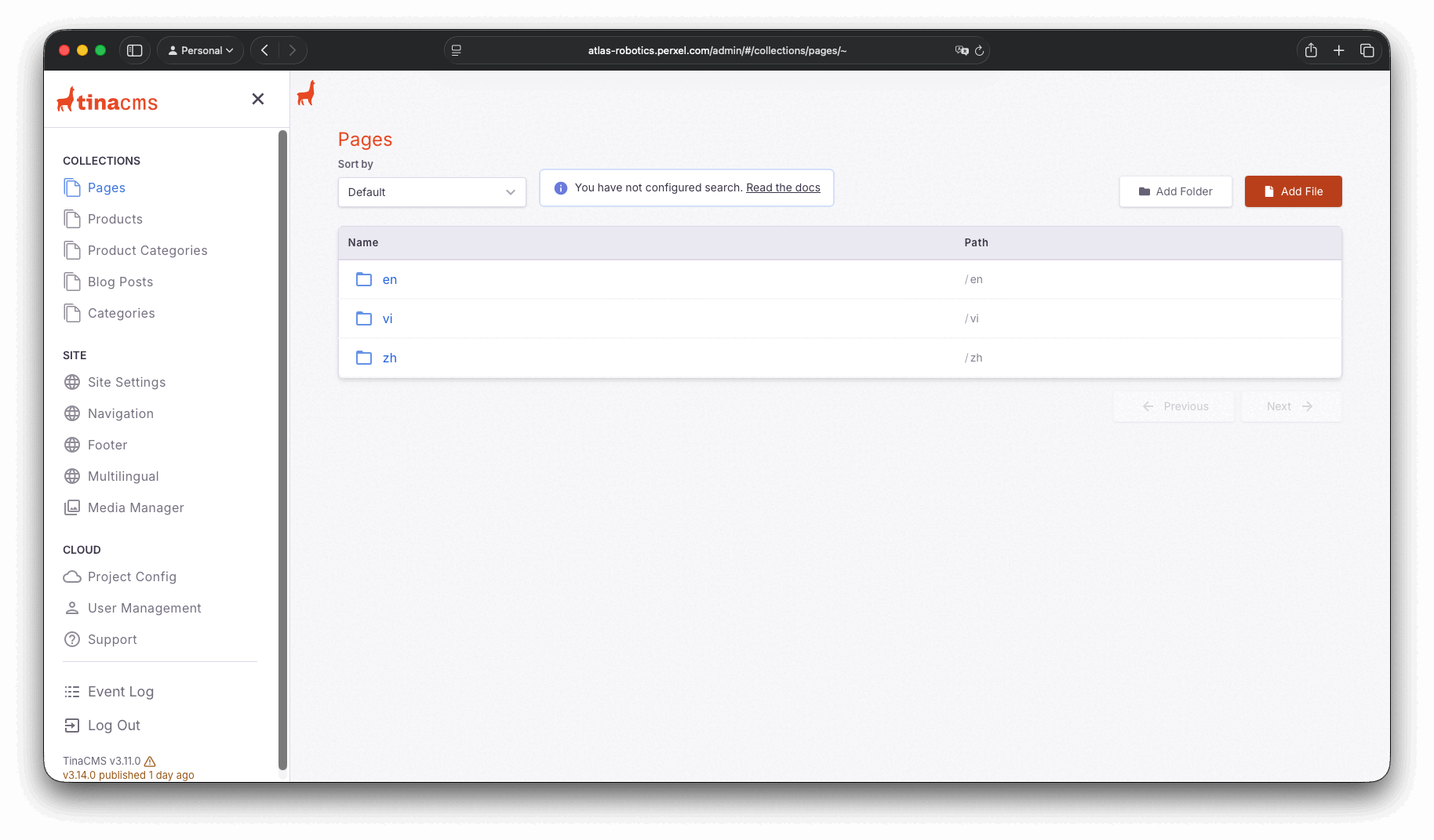
Content for each language sits in its own folder: en, vi, zh, shown on the Atlas Robotics project.
A plain verdict: 8/10 for marketing websites
After years of using WordPress as its main CMS, Perxel rates TinaCMS 8/10 for marketing websites. The Git-backed architecture is a big plus, but the two points below are real limits to know before you commit.
- Limited admin extensibility (-1). Perxel tried building its own dashboard inside TinaCMS to track SEO and multi-language data. It worked locally but not in production. Documentation for advanced customisation is thin, and the difficulty of overriding the admin UI or adding custom pages makes it less friendly to non-technical users.
- Asset caching isn't optimal (-1). Media served from assets.tina.io doesn't have a suitable cache setup right now. That doesn't wreck the PageSpeed score, but it doesn't lift it either: on Atlas Robotics the Performance score stays at an acceptable level, below what Prismic reaches. Perxel hasn't found a complete fix, and it isn't clear whether this is specific to the free plan.
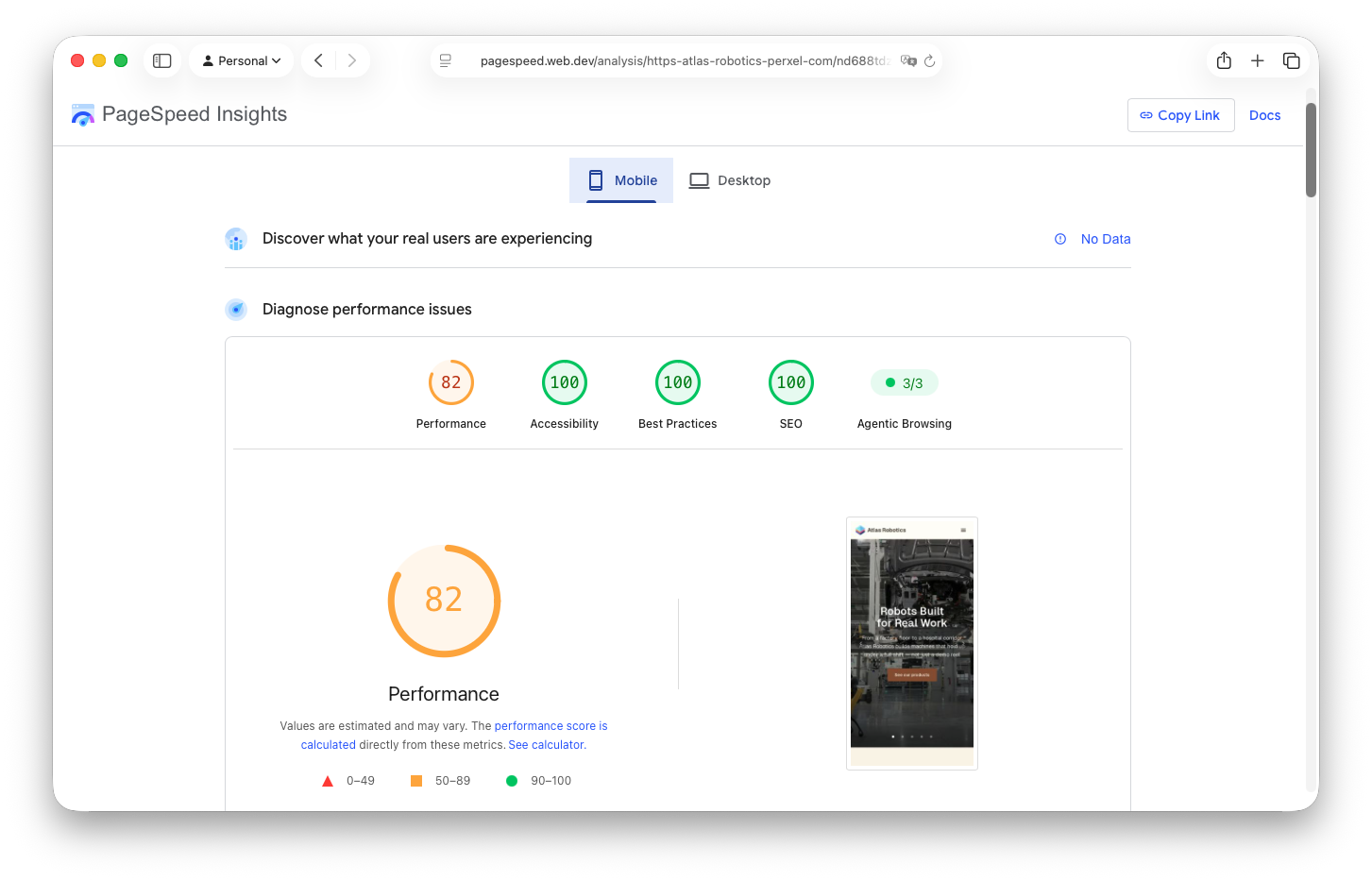
PageSpeed Insights, mobile.
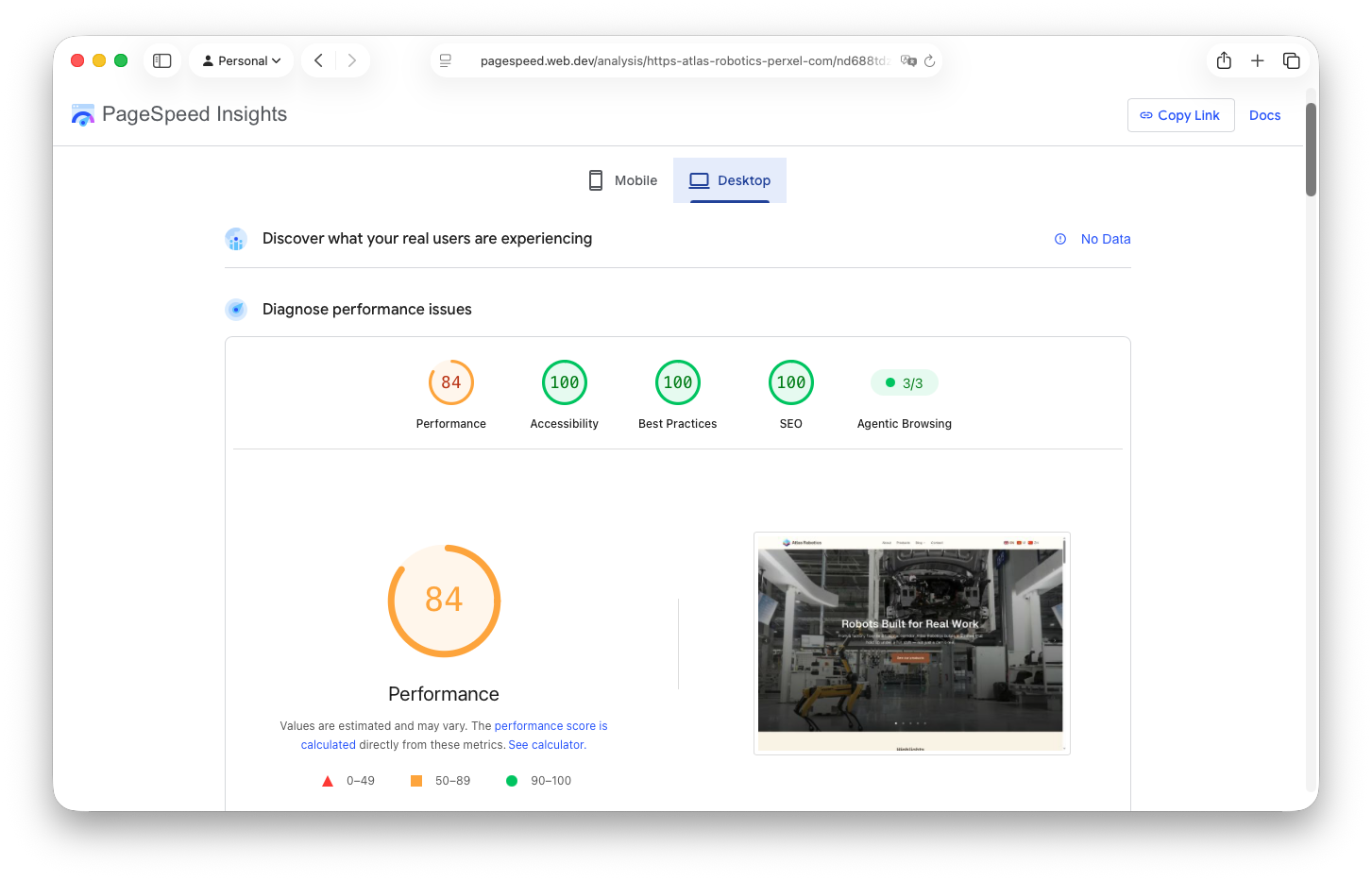
PageSpeed Insights, desktop.
The setup challenge and Perxel's answer
The freedom and long-term savings of TinaCMS come with a much longer initial setup than an ordinary SaaS CMS. The developer has to define the whole content schema, connect GitHub to Next.js and tune the components so click-to-edit runs smoothly without slowing page loads.
Seeing that barrier, Perxel invested a research and development phase to package a standard starter for Next.js with TinaCMS. That know-how is backed by the Certified Developer badge from TinaCMS. With the starter already tuned, setup time isn't charged to the client's budget.
When to choose TinaCMS
- When the content team values click-to-edit directly on the page.
- When the site needs 3 or more languages and you want to avoid per-locale enterprise plan fees.
- When the business wants to cut server costs and monthly CMS fees as far as possible.
Closing
Perxel first met TinaCMS and shipped it in just 3 days on the Growtrics project, a creative website with complex GSAP animation. The client, a technical team, hadn't asked for a CMS at all, but Perxel added one anyway and they were glad to be able to manage content themselves afterwards.
From that project, Perxel built Atlas Robotics to test the real limits of the stack: three languages, several gigabytes of images and video, and a live demo at atlas-robotics.perxel.com. The site runs steadily, with a PageSpeed score at an acceptable level as noted above, though it doesn't beat Prismic on the same measure.
TinaCMS gives the marketing websites Perxel builds an alternative to WordPress with low infrastructure cost.
Read more about Perxel's Next.js & Headless CMS website service, or the TinaCMS vs Prismic comparison if you are still deciding between the two.
Footnotes
Want a quote?
Get in touch with Perxel today.