





PageSpeed Insights & Core Web Vitals
A simulated score and real loading speed are two different things. Here is how Perxel optimises website performance under the surface, from CSS, JavaScript and images to layered caching.
August 8, 2026
When judging website performance, many design teams and site owners aim for the top score on automated tools such as Google PageSpeed Insights or Lighthouse. Those scores are calculated in fixed, simulated lab conditions.
What a real visitor experiences is more complicated. It depends on their device, the speed of their connection at that moment and how well the browser handles the page's resources. A site with a very high simulated score can still feel slow if the browser's rendering path isn't optimised in the code.
Optimising the CSS and JavaScript
Perxel optimises the code structure from the first line, instead of patching problems afterwards.
- Tailwind CSS inside Gutenberg. Perxel built its own workflow to bring Tailwind CSS into Gutenberg blocks. It reuses CSS properties as much as possible, stops the code from bloating and keeps the final CSS file small.
- Minimal JavaScript. Perxel writes plain JavaScript and avoids pulling in external libraries. For ordinary interactions, custom JavaScript removes hundreds of kilobytes of unnecessary resources.
- Less dead code through a standard plugin list. A major cause of slow WordPress sites is third-party plugins that load their CSS and JS on every page, even pages that don't use the feature. With a standard safe plugin list and a firm rule against unknown plugins, Perxel knows how each part is built and can tell exactly which files to keep or strip out.
Controlling and optimising images
Images usually take up most of a page's weight and directly affect LCP (Largest Contentful Paint). Perxel's image handling is automated and consistent.
- Automatic compression and conversion. Every image uploaded to the site is compressed and converted to WebP by Perxel Image Optimizer. File sizes drop considerably with no visible loss of quality.
- Responsive images. Perxel uses WordPress's built-in
srcsetso the browser picks the image size that best matches the device's screen resolution. - A limited set of image sizes. At setup, Perxel limits the image sizes WordPress generates automatically. They are set to match the breakpoints in the Figma design, so the server isn't filled with dozens of unused files.
Controlling third-party resources and motion
To get a good interaction response (INP) and avoid layout shift (CLS), Perxel follows strict technical standards.
- Deferring third-party scripts. Tracking code such as Google Analytics or Facebook Pixel and chat widgets don't run as soon as the page loads. Perxel lazy loads them, letting them run only after the page has fully rendered or on the first user interaction, which frees the browser's main thread.
- Efficient animation with GSAP. For scroll-based animation and complex micro-interactions, Perxel only animates the hardware-accelerated CSS properties
transformandopacity. The browser doesn't have to recalculate the layout of the whole page, so motion stays smooth even on low-end phones.
Server and layered caching
Besides frontend code, website performance depends a lot on how fast the server first responds (TTFB).
- Works on any hosting. Perxel doesn't require a specific provider. Because the custom codebase is lean, the site runs well on standard hosting, whether it uses Nginx, Apache or LiteSpeed.
- Server-level and application-level cache together. Perxel aligns server cache with the WP Rocket configuration at the application level. Together they turn dynamic WordPress pages into static copies that are returned immediately, without starting PHP or touching the database.
- Synchronised cache clearing. When someone edits or adds content, the system clears both the WP Rocket and server cache for that page and its related pages, so new content appears straight away.
Measured results
Perxel's own projects show concrete results on PageSpeed Insights. Atlas Robotics reaches a Performance score of 84 on desktop, and Foldables reaches 92.
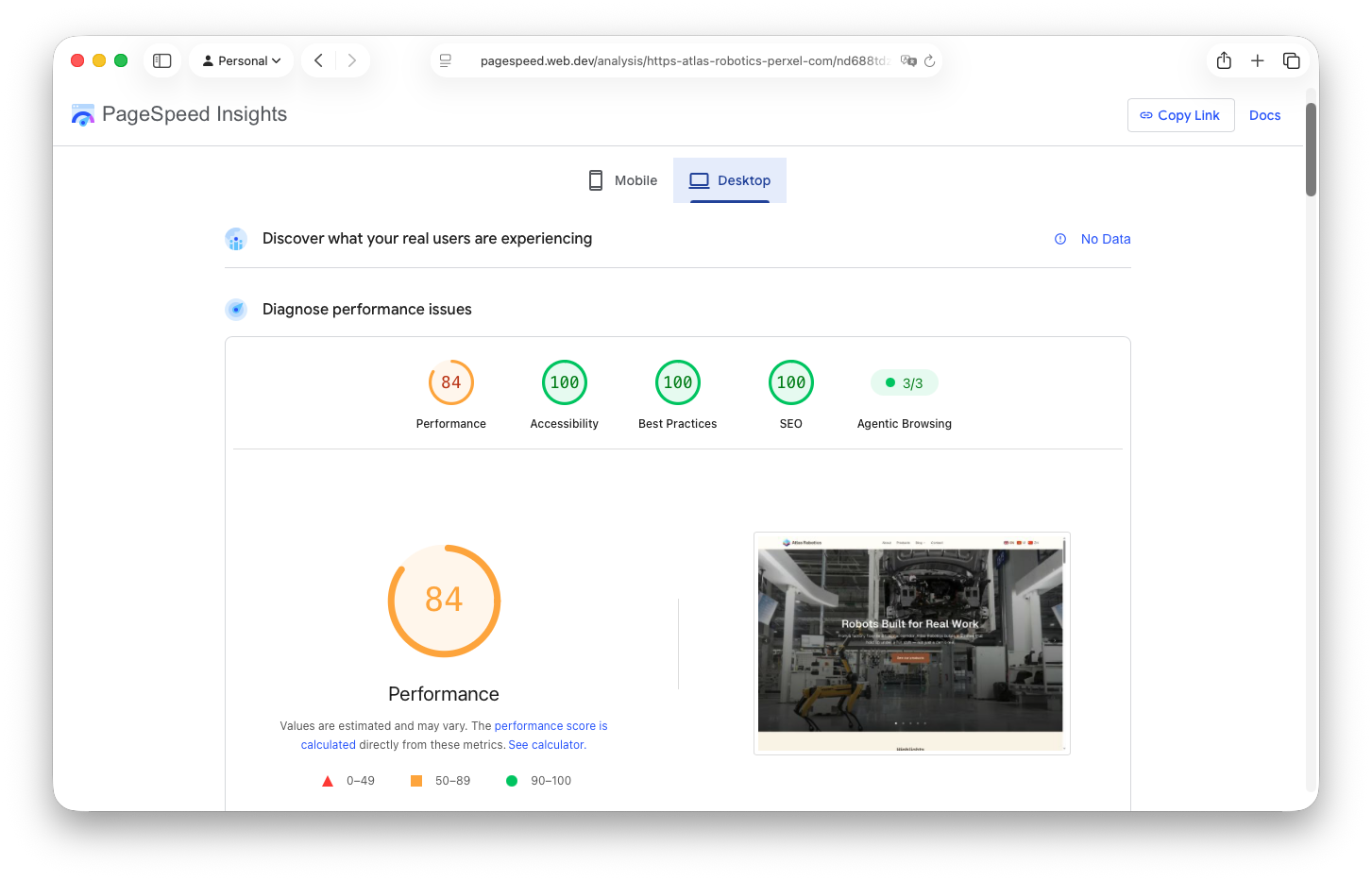
PageSpeed Insights for Atlas Robotics, desktop.
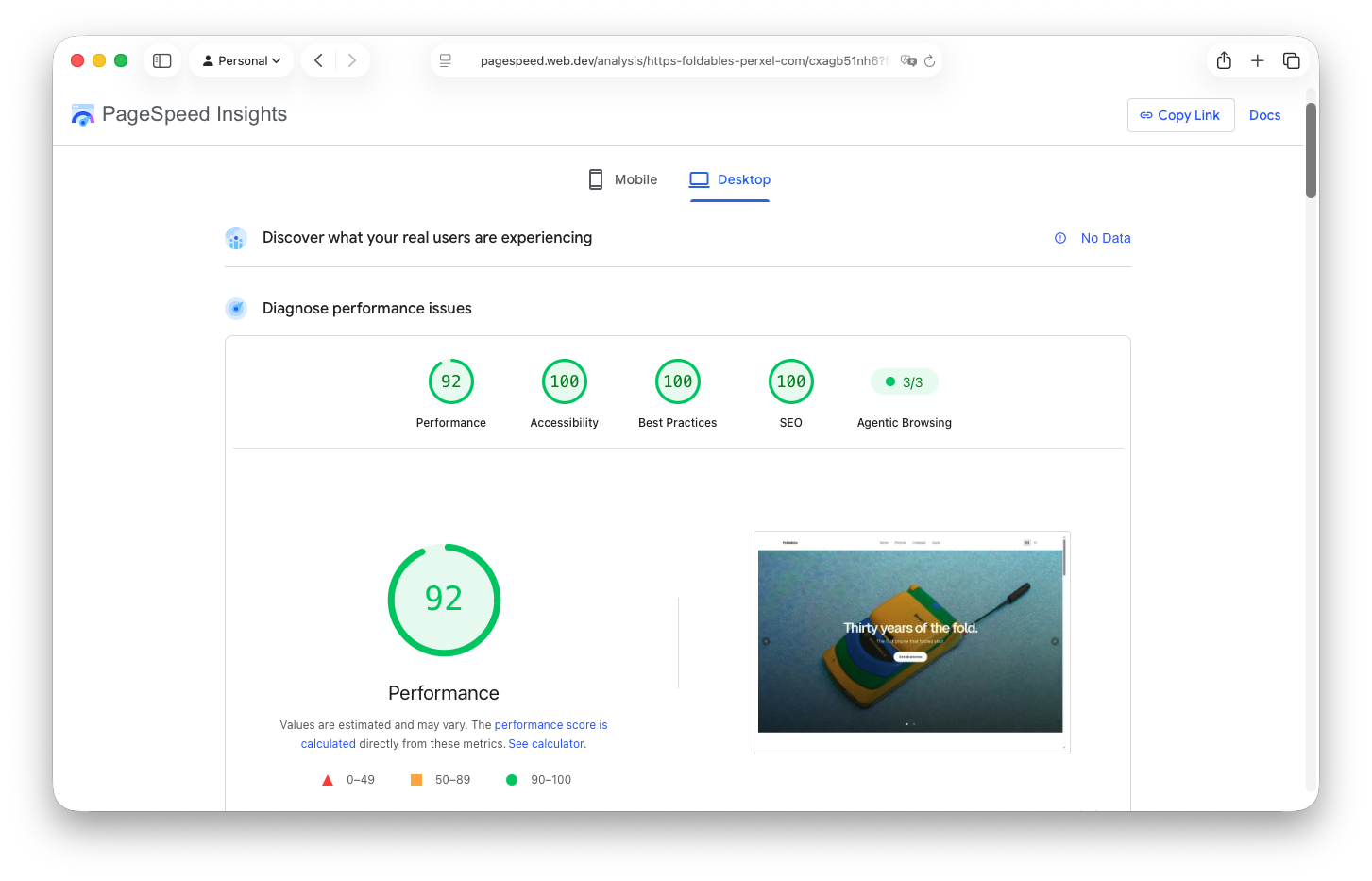
PageSpeed Insights for Foldables, desktop.
These are screenshots from one measurement, not fixed scores. PageSpeed Insights results change from run to run, depending on the content a client adds, the state of Google's servers and the network at the time of the test.
In short
Real website performance doesn't come from promised scores. It comes from careful optimisation under the surface together with a consistent system setup. By keeping the codebase clean, controlling image resources tightly and using layered caching, Perxel builds websites that are fast, stable and stay that way over time.
Footnotes
Want a quote?
Get in touch with Perxel today.