





How we move a Webflow or Framer site to WordPress
The six steps Perxel takes to move a Webflow or Framer site to WordPress, from reading the site from outside to handing it to your team, with the times from our test runs on sites of 15 to 461 pages.
Phúc Bùi · November 2, 2026
When a Webflow or Framer site moves to WordPress, three things have to hold: the site looks and moves the same, every page and post comes across, and every URL still works so search engines and old links find the same page. This post walks through how we do it, in six steps, with the times from our test runs on sites of 15 to 461 pages.
1. Read the site from outside
We start without a login. A script reads the public site and lists everything it holds: pages, CMS collections and their items, languages, forms, interactions, tracking codes and every URL. On the sites in our test runs this took from 14 seconds to under 6 minutes.
The same read gives the bill. Both platforms charge more as a site grows. Webflow changed its site plan prices in 2026, and sites in agency and freelancer workspaces move to them at the first renewal on or after November 16, 2026 (Webflow pricing). Framer charges each month for every extra editor and language (Framer pricing). A site with a team or a second language is where a move pays back fastest; a one-person site in one language often costs little, and a move saves little. Our calculator shows the comparison for your own site: for Webflow and for Framer.
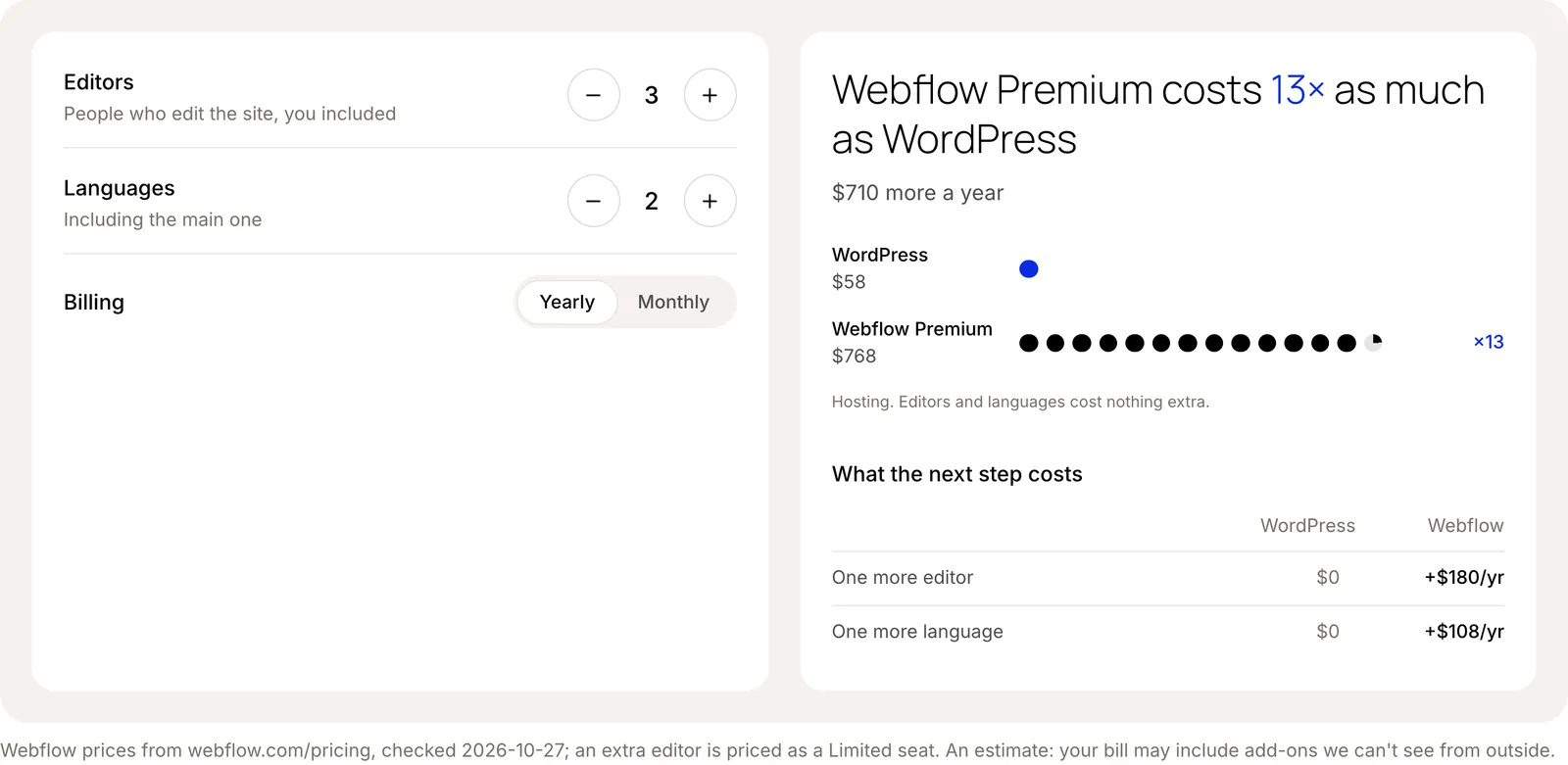
The calculator for a Webflow site with three editors and two languages.
2. Copy the content
Next, every page, item, image and video is copied. The public site alone covers most of it. When you give us access to the project, we also read it through the platform's MCP server (Webflow, Framer), which reads collections and items straight from the source.
Access matters more than we expected. On a client's small Webflow site, the public crawl found 10 URLs. The MCP server found 40, because the news posts were linked by a script the crawler didn't run.
3. Build it on WordPress
Each CMS collection becomes a WordPress post type, its fields become custom fields, and the content is imported into them. The theme is custom, built from your live design on our own starter theme.
At the end of this step there is a working WordPress copy: every page, item and image in place at the same URLs, not yet looking like the original. In our test runs, counting steps 1 and 2:
- A law firm's Framer site, 15 pages: 30 minutes.
- An architecture studio's Webflow site, 148 pages in three languages, with 108 projects, 3 forms and about 800 images: 51 minutes.
- A marketing agency's Framer site, 461 pages, with 390 blog posts, 4 more collections and about 1,480 images and videos: under two hours.
These were test moves on public sites, without access to the projects.
4. Make it look like the original
This step takes the longest. We compare the copy with the live site page by page, fix what differs and compare again.
Interactions and animations don't carry across from either platform, so we rebuild them with GSAP. That's why we count them in step 1: the architecture studio's site had 412 Webflow interactions.
5. Keep every URL
The URL list from step 1 is the checklist. The WordPress site keeps the same paths, collections included, and where a URL has to change a 301 redirect points the old address to the new one. Titles and descriptions move with each page.
Two details come up on every site. WordPress ends its URLs with a slash and Webflow and Framer don't, so each old address gets a 301 to the same page with the slash. And the redirects you already set up live in the project settings (on Framer, Site Settings), where a crawl can't see all of them, so we take that list from the project.
Before launch every old URL is checked against the new site. On the 461-page test site, 449 answered at the same address, 12 redirected exactly as they did on Framer, and none broke. Forms are rebuilt and pointed to the same inbox or tool.
6. Launch and hand over
We switch the domain, send the new sitemap to Google Search Console and show your team how to edit. Instead of the Webflow Designer or the Framer canvas, they edit in WordPress with NectarBlocks: click a headline and type, swap an image, add a section. Fonts and colours come from the site's own styles, so the design holds whoever edits it.
Scripts and AI do the repetitive work in these steps: reading the site, importing content, listing and checking URLs. Our team makes it look like the original, rebuilds the interactions and checks every page. Our Webflow to WordPress and Framer to WordPress pages show your starting price and how many days a site like yours takes.
Footnotes
Want a quote?
Get in touch with Perxel today.